Deploying via Jamf (MDM for macOS/iOS)
Jamf is a Mobile Device Management (MDM) solution that allows organizations to centrally manage and deploy applications on macOS and iOS devices.
If your organization uses Jamf, you can remotely deploy the Zenarmor endpoint application to managed Apple devices without requiring manual installation steps from end users.
Zenarmor deployment through Jamf simplifies large-scale device onboarding and enables centralized application management for enterprise environments.
Jamf deployment is supported for macOS and iOS devices.
Follow the steps below to deploy Zenarmor using Jamf:
-
Download the Zenarmor macOS installer package from Zenconsole.
infoThe Zenarmor macOS installer package can be downloaded from the Add Endpoint window under the macOS tab in Method 1: Standalone Installer.
-
Log in to your Jamf Now portal.
-
Upload the Zenarmor installation package to your Jamf environment.
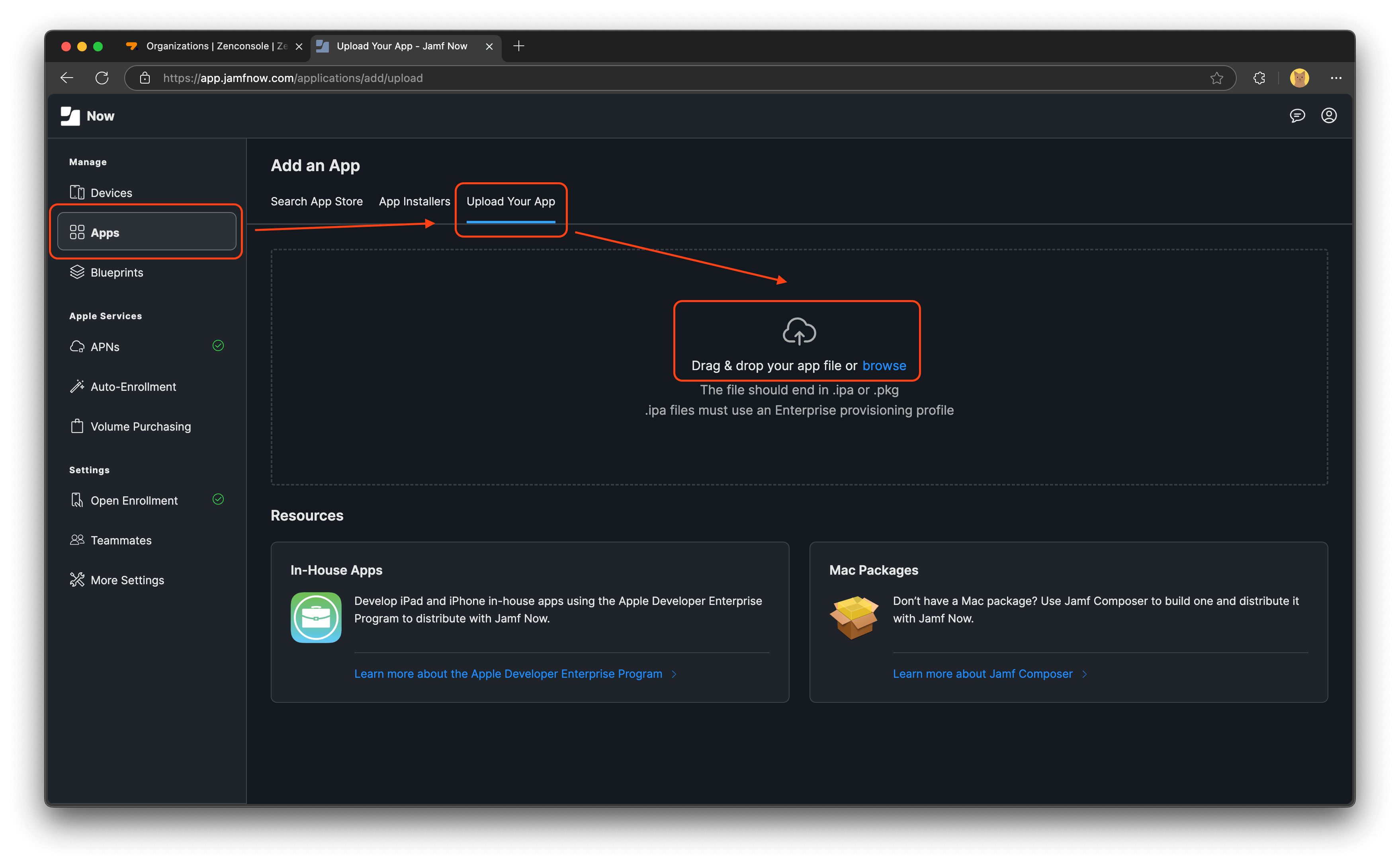
Figure 1. Uploading the Installation Package
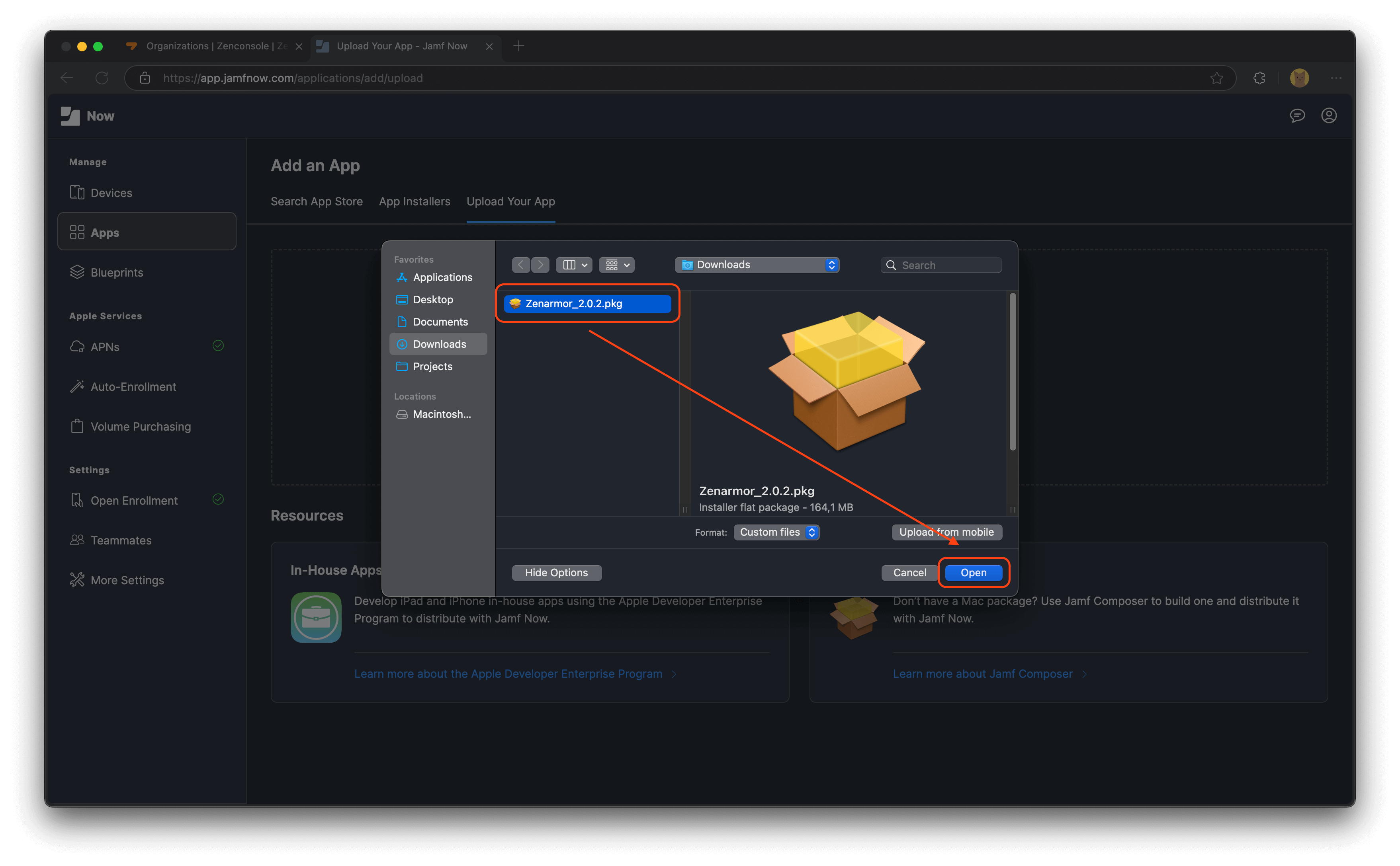
Figure 2. Uploading the Installation Package-2
-
Wait for the package upload process to complete.
-
Add the application to your organization with any name you prefer. If you include the version number in the application name, you can later follow the same process to add the new version with a different name, allowing you to install the new Zenarmor application version on your organization's devices via Jamf Now.
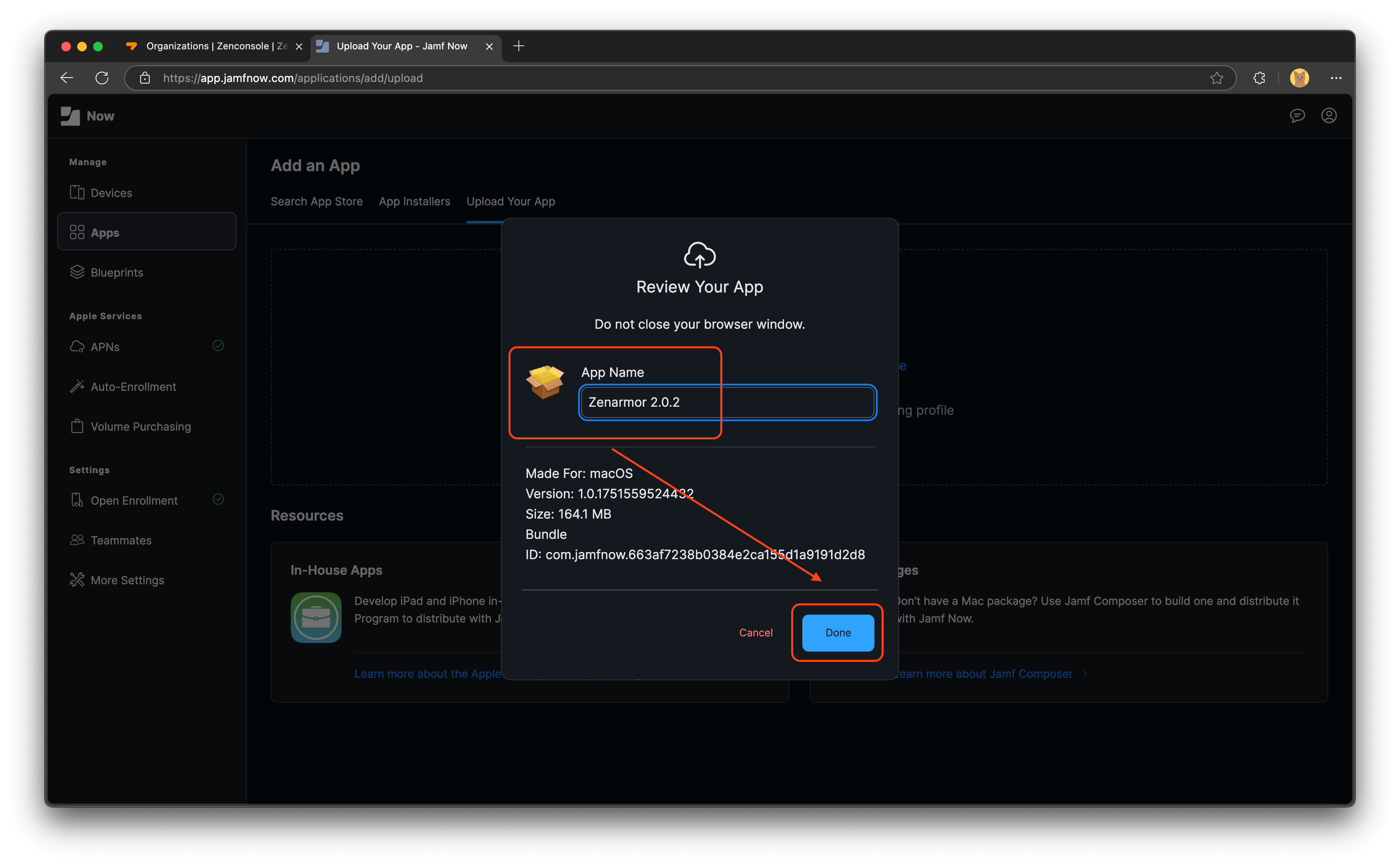
Figure 3. Adding the Application to Your Organization
-
Add the uploaded application to the active "Blueprint" channel in your organization.
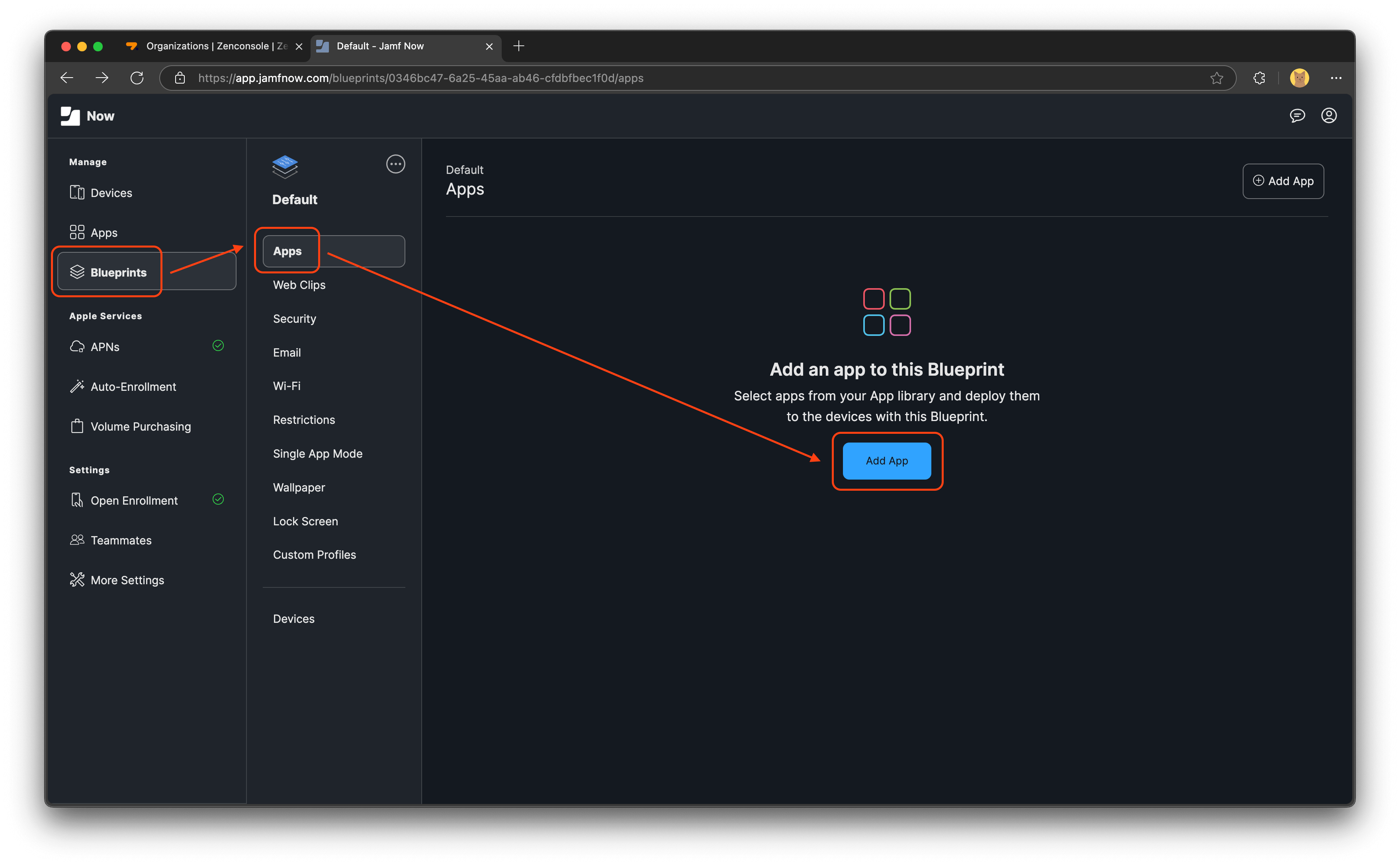
Figure 4. Adding the Application to the Blueprint Channel
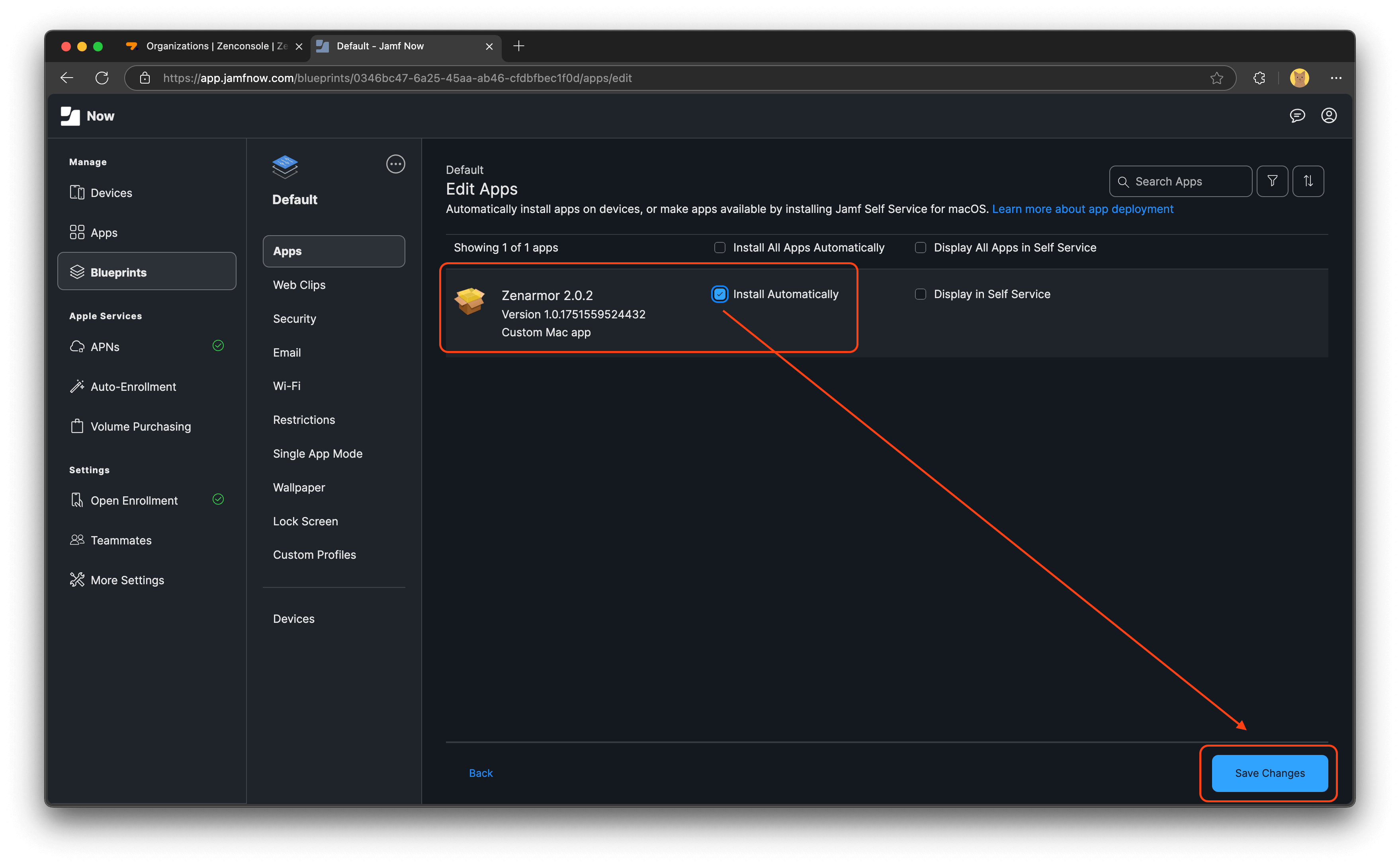
Figure 5. Adding the Application to the Blueprint Channel-2
-
Save the deployment configuration.
-
During the next device synchronization, Jamf automatically deploys and installs the Zenarmor application on the assigned macOS devices.
The following video shows how to deploy Zenarmor on macOS devices using Jamf MDM. You may watch this video to learn how to upload the Zenarmor package to Jamf, create a deployment policy, and assign it to your managed devices.
How to Deploy Zenarmor on macOS Devices via Jamf MDM